
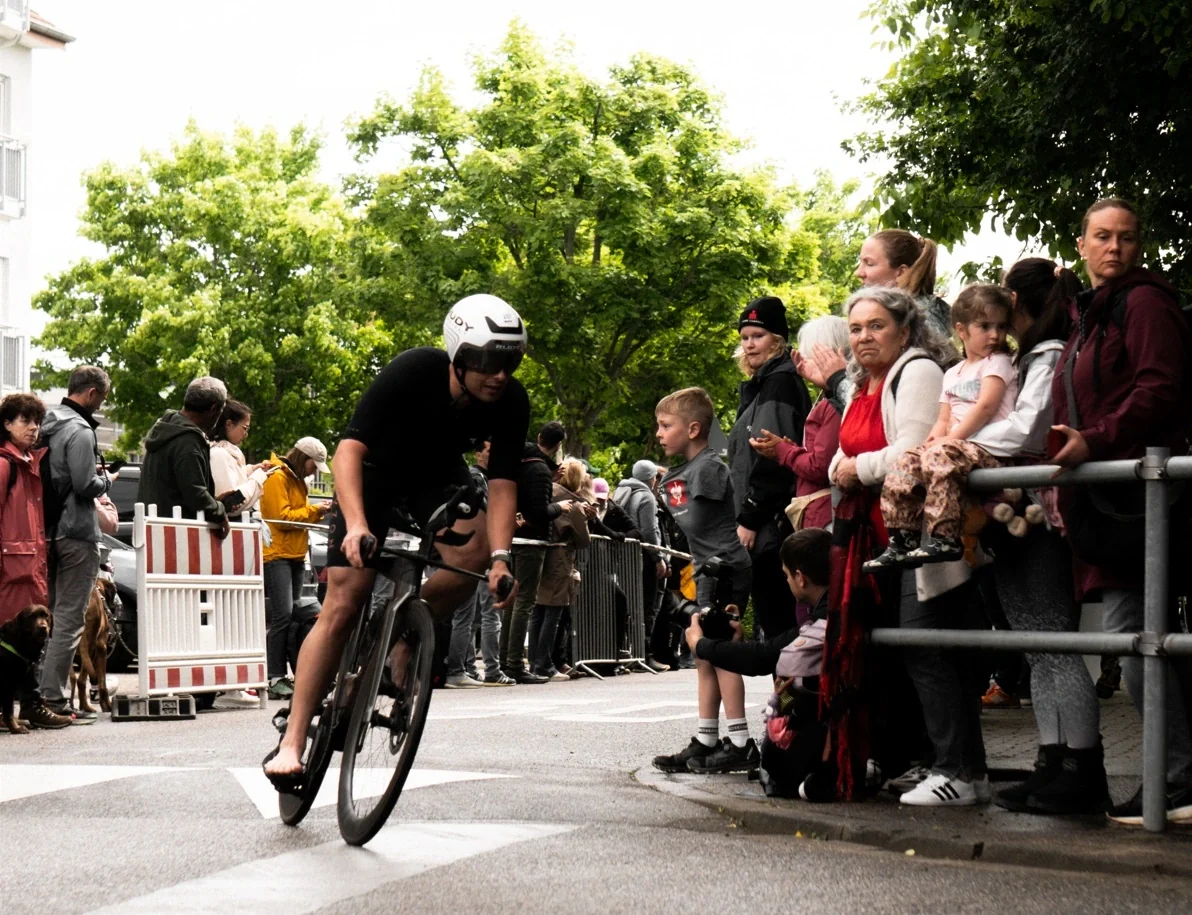
Olympic triathlon training plan
- 10 weeks
- Swimming
- Cycling
- Running
Goal: Olympic distance
- Duration
- 10 weeks
- Sessions
- 87 in total
- avg. 8.7 per week
- Training time
- avg. 7.4 h/week
- Peak week 8.2 h
Bundle offer
Save 20% with the bundle
Together with Base Building, this plan costs €20.80 instead of €26.00 on its own.
View bundle Triathlon olympic distance: base and raceHow the training load develops
Training time per week over 10 weeks. The toughest week is week 5 with 8.2 h.
Plan structure
87 sessions spread over 10 weeks, around 74 hours of training and a total load of 4,116 TSS.
- Swimming 21 sessions 48.9 km in total
- Cycling 21 sessions 845 km in total
- Running 25 sessions 184.6 km in total
- Strength training 20 sessions
| Week | Sessions | Sports | Time |
|---|---|---|---|
| 1 | 9 |
|
7.6 h |
| 2 | 8 |
|
7.9 h |
| 3 | 8 |
|
6 h |
| 4 | 9 |
|
7.8 h |
| 5 | 8 |
|
8.2 h |
| 6 | 8 |
|
6 h |
| 7 | 9 |
|
7.8 h |
| 8 | 8 |
|
8.2 h |
| 9 | 9 |
|
6.9 h |
| 10 | 11 |
|
7.3 h |
A look inside the plan
Sample week: week 7 of 10
This is exactly how your plan will look in the Aspect App after you buy it. Tap a session to see its structure, intervals and target ranges.
Week 7 Build Phase 2 – Load Week 1 9 sessions 6:16 h 80 km 23.5 km 5.1 km
About this training plan
Take on your first Olympic-distance race at a pace you can hold over the full distance. Threshold and VO2max training, race-pace blocks on the bike and brick runs prepare you for exactly that. Your bike and run sessions are guided by heart rate; a chest strap is all you need, and the VO2max intervals are done by feel.
Who the plan is for
For athletes who are new to triathlon or returning after a break, but who already have an endurance base. Right now, you should be able to manage an easy 45-minute run, a relaxed 90-minute ride and a swim session of about 2,500 metres with breaks. If that is still too much, the sprint distance is the better first step. If you already have race experience, choose Level 2.
How the plan works
Two build phases in a rhythm of two load weeks and one recovery week lead to the peak week and race week, with the second phase being the longer one. The first build phase develops your aerobic capacity: short, very intense VO2max intervals that challenge your maximal oxygen uptake, intervals at threshold (the fastest pace you can sustain for an extended period), plus a long easy ride and an easy run.
The second build phase becomes more race-specific. The threshold intervals get longer, a progressive tempo run over several kilometres is added on the run, and the long ride includes blocks at race pace. In selected weeks it is followed by a brick run, a run straight off the bike. In the water you work on body position, threshold and race-pace intervals. Recovery weeks focus on runs that gradually pick up the pace and easy surges on the bike. The peak week brings race pace on the bike and a brick run with a threshold section, and race week ends with short openers. Injury-prevention strength training and stretching remain part of the plan until the last few days before the race.
What you need before you start
- Your threshold heart rate (threshold HR) on the bike from Joe Friel’s 30-minute test: after a thorough warm-up, ride 30 minutes on your own, as hard and as evenly as you can sustain for the whole time; your average HR over the last 20 minutes is your value. Stopgap without a test: about 90% of your reliably known bike HRmax. You don’t need a power meter; on the turbo trainer, ride in standard mode (not ERG).
- Your running threshold HR from an all-out 10 km run, around 98% of your average HR over the 10 km, or from a lab performance test. You also need a chest strap and a watch with heart rate display, as the bike and run targets are given as a percentage of your threshold HR. Wrist-based measurement reacts too slowly. Enter both values under “My plans”, and the plan converts the targets into beats per minute.
- A CSS test in the pool, and regular pool access. CSS (Critical Swim Speed) is your sustainable pace in the water and the basis for all swim paces.
Support within the plan
Every phase starts with an explanation of what matters now. The fixed rest day at the start of the week comes with recovery tips, and mental coaching prompts accompany you all the way to the start line. In race week you learn why the openers matter and why you should stick precisely to their intensity.
Which level is right for you?
- Level 1: Your first Olympic-distance race, with an existing endurance base. Two swim sessions a week, brick runs in selected weeks.
- Level 2: You already have some race experience. The same clearly graded pace progression as Level 1, built on a broader foundation: a third swim session, longer easy sessions, brick runs in every load week of the second build phase.
- Level 3: You want to race your best. Several quality runs a week, longer threshold and race-pace blocks and considerably longer rides.
Intensity guidance
Your training thresholds
Session intensity is based on your personal thresholds. After buying, you enter them in the Aspect App – the plan then converts every target for you.
Here’s how to find your values:
- CSS (swimming)Your CSS (Critical Swim Speed) is your sustainable pace per 100 m at threshold.Test: After warming up, swim 400 m as fast as you can, recover well, then swim 200 m as fast as you can. CSS per 100 m = (400 m time − 200 m time) ÷ 2 (6:40 and 3:10 → 1:45 per 100 m).
- Threshold heart rate (cycling)Targets are given as a percentage of your threshold heart rate on the bike, the highest heart rate you can sustain for about 60 minutes. A chest strap gives the most accurate reading.Test: After a good warm-up, ride a 30-minute time trial on your own as hard as you can hold evenly. Your average heart rate over the last 20 minutes is your threshold HR. Stopgap without a test: about 90% of your reliably known maximum heart rate on the bike (185 bpm → 167 bpm).
- Threshold HR (running)Your threshold heart rate is the highest heart rate you can sustain for about 60 minutes. A chest strap gives the most accurate reading.Test: After a good warm-up, run on your own for 30 minutes as fast as you can hold evenly. Your average heart rate over the last 20 minutes is your threshold HR. Alternatively, from an all-out 10K run: 98% of your average HR over the full 10 km (average 176 bpm → threshold HR 172 bpm).
Device sync via Garmin Connect and Intervals.icu
Your plan on your watch
Send your plan directly to Garmin Connect in just a few clicks: your bike, run and swim sessions reach your Garmin watch or Edge as structured workouts with your target values. For Wahoo, COROS, Suunto, Zwift and MyWhoosh, you use your free Intervals.icu account. No retyping and no file imports.
Ready in six steps
- Buy the planOnce your payment has been received, you’ll get your access link by email.
- Save it to your Aspect accountWith a free Aspect account, you save the plan under “My plans”.
- Connect accountTap “Garmin Connect” at the top of your plan. With a Garmin watch or Edge, choose “Connect with Garmin Connect” and agree to the transfer to Garmin. For all other devices, choose “No Garmin? Connect Intervals.icu” and connect your free account on intervals.icu (opens an external site).
- Check target valuesFrom your values in the plan (e.g. FTP, threshold HR or threshold pace), the app calculates watts, heart rate and pace for Garmin. With Intervals.icu, it checks whether the same values are set there. You match any differences with one click.
- Choose a start date and sendChoose your start Monday and send.
- Connect your device (Intervals.icu only)For Wahoo, COROS, Suunto, Zwift and MyWhoosh, go to Settings → Connections in Intervals.icu, connect your device or platform and enable uploading planned workouts (e.g. “Upload planned workouts”).
What arrives where
| Platform | What arrives |
|---|---|
| Garmin | Directly via Garmin Connect: Cycling, running and swimming as structured workouts with your target values, strength as an exercise list (supported) |
| Wahoo | Via Intervals.icu: Bike workouts (supported) |
| Suunto | Via Intervals.icu: Planned workouts (watches with SuuntoPlus Guides) (supported) |
| COROS | Via Intervals.icu: Planned workouts – the first time only, drag the “Intervals.icu” training plan into your calendar in the COROS app. (supported) |
| Zwift | Via Intervals.icu: Bike and run workouts (supported) |
| MyWhoosh | Via Intervals.icu: Bike workouts in your MyWhoosh calendar (supported) |
| ROUVY | Via Intervals.icu: Bike workouts, each on its scheduled day as Workout of the Day. You set up the connection in ROUVY under Connected Apps. (limited) |
| Apple Watch | No official integration – only via third-party apps (e.g. Watchletic – the Intervals.icu import is a paid feature) (limited) |
| Polar, TrainerRoad | No direct transfer (not supported) |
Transfer details
- Garmin Connect always receives the next 14 days – more follow automatically. The complete plan is in the Aspect App.
- The Aspect App calculates the target values (watts, heart rate or pace) from your values in the plan when sending. If you change them, the upcoming workouts in Garmin Connect are updated automatically.
- If you move a session within its week in the Aspect App, it is moved in Garmin Connect too.
- Swim workouts reach your Garmin watch structured with distances and rests. Pace, stroke and technique drills are in the text.
- Strength sessions arrive in Garmin Connect as an exercise list (e.g. “3×10 squats”). You can see the exercises in detail in the Aspect App.
- For Wahoo, COROS, Suunto, Zwift and MyWhoosh, you use your free Intervals.icu account: most services receive roughly the next 7 days at a time from there, and Intervals.icu calculates the target ranges from your values there.
- Zwift uses the values in your Zwift profile (FTP, 5K time). Enter the same values there as in Intervals.icu.
In the Aspect App you can also download bike and run workouts as FIT files (e.g. for Garmin, Wahoo, COROS) or as ZWO files for Zwift. Swim workouts are available as a PDF to take to the pool.
What you get
- The complete 10-week plan87 sessions, structured week by week and day by day.
- All sessions in the Aspect AppEvery session with its full structure. In the browser on your smartphone, tablet or computer.
- Flexible within your weekIf a day doesn’t suit you, you can use a free Aspect account to move sessions to another day within the plan week or change their order – by drag & drop on a computer, or via “Move to…” on a smartphone. You can restore the original order at any time.
- Straight to your watch and bike computerAs structured workouts with your target values, directly via Garmin Connect – for Wahoo, COROS, Suunto, Zwift and MyWhoosh via your free Intervals.icu account. Or as a FIT/ZWO download. How it works
- Access with or without an accountPersonal access link by email. With a free Aspect account, saved permanently under “My plans” – and ready to send to your watch and bike computer.

Created by your coach
Hi, I’m Alex – coach and the mind behind aspect®. My training plans grow out of my endurance coaching work in triathlon, cycling and running. If you’d rather have individual coaching than a ready-made plan, take a look at 1:1 coaching.
Frequently asked questions
How do I get the training plan after purchase?
Once we’ve received your payment, you’ll get an email with your personal access link. Use it to open the plan directly in the Aspect App – in the browser on your smartphone, tablet or computer. You’ll also receive your invoice by email.
How does the plan get onto my watch and bike computer?
Directly via Garmin Connect: open your plan in the Aspect App, tap “Garmin Connect” at the top and follow the steps in the “Plan on your watch” window: “Connect with Garmin Connect”, “Check target values” and “Send to Garmin”. The workouts reach your Garmin watch or Edge with your target values. Strength sessions arrive as an exercise list. Garmin Connect always receives the next 14 days – more follow automatically. For Wahoo, COROS, Suunto, Zwift and MyWhoosh, you use Intervals.icu: in the same window, choose “No Garmin? Connect Intervals.icu”, connect your free Intervals.icu account, match your target values and send the plan to your Intervals.icu calendar. There, under Settings → Connections, you connect your device or platform and enable uploading planned workouts (e.g. “Upload planned workouts”). For Hammerhead Karoo, set up the connection in your Hammerhead account. Zwift uses the values in your Zwift profile (FTP, 5K time). Most services receive roughly the next 7 days at a time.
Does it work with the Apple Watch?
Not directly: there’s no official Intervals.icu integration for the Apple Watch. It’s only possible via third-party apps (e.g. Watchletic – the Intervals.icu import is a paid feature). Polar and TrainerRoad aren’t supported directly either. You can still see all your sessions in the Aspect App at any time – including in your smartphone’s browser.
Does Intervals.icu cost anything?
No. A free Intervals.icu account is all you need for the transfer. Intervals.icu also offers an optional supporter subscription – you don’t need it for this. Transferring from the Aspect App doesn’t cost anything extra either.
Do I have to keep my values up to date in two places?
No. For Garmin Connect, the Aspect App calculates the target values from the values in your plan when sending – if you change them, the upcoming workouts in Garmin Connect are updated automatically. If you use Intervals.icu, the “Match target values” step checks whether the same values are stored there as in your plan. If something differs, you choose which value applies and match them with one click. Nothing is overwritten without asking. Zwift still uses the values in your Zwift profile.
Do I need an account in the Aspect App?
Not to view it: the access link also works without an account. With a free Aspect account, you save the plan permanently under “My plans” – and only then can you transfer it to your watch and bike computer directly via Garmin Connect or via Intervals.icu.
When can I start the plan?
Whenever you like. The plan isn’t tied to a date but built in weeks (week 1 to 10), and each week starts on a Monday. If you have a race in mind, simply count back 10 weeks from race day. For the transfer to Garmin Connect or Intervals.icu, you choose your start Monday yourself.
What happens if I start later or need to reschedule?
No problem. If you want to start the whole plan later, choose “Reschedule” in the “Plan on your watch” window and pick a new start Monday – sessions already sent are moved to the new days in Garmin Connect. With Intervals.icu, choose a new start date under “Intervals.icu” → “Reschedule” – the sessions are moved without any duplicate entries. Your own entries in Garmin Connect and Intervals.icu stay untouched. If just a single day doesn’t work, move the session within its week (see next question).
Can I move sessions to other days?
Yes, within the respective plan week. With a free Aspect account, you move a session in the plan view to another day of the same week or change the order on a day – on a computer by drag and drop, on a smartphone via the “Move to …” menu on each session. The plan itself stays unchanged: moved sessions are marked with a small icon (e.g. “originally Tuesday”), and “Reset week” or “Reset whole plan” restores the original order. If the plan has been transferred to Garmin Connect or Intervals.icu, moves and resets are applied there automatically. If you move a transferred session directly in Garmin Connect or in the Intervals.icu calendar within its week, the Aspect App picks this up (for Garmin Connect at the daily sync). If a session ends up outside its plan week, the app moves it back to its week and shows you a notice. Without an account, you can view the plan but not move sessions.
Is the plan tailored to me personally?
No – it’s a ready-made training plan that works for many athletes with a similar goal. If you’d like individual support, you’ll find 1:1 coaching at aspect-sports.com.
Do I have a right of withdrawal?
The training plan is digital content. With your express consent, it is made available before the withdrawal period has expired – your right of withdrawal then expires when provision begins (Section 356(5) of the German Civil Code, BGB). You’ll find the details in our withdrawal policy.
Olympic Distance | Build & Peak (Heart rate)
10 weeks · 87 sessions · €26.00 (final price*)
More training plans
All plans
My First Triathlon
Goal: First triathlon finish
- Duration
- 9 weeks
- Per week
- Avg. 3.5 h · 5–9 sessions
- Guided by Bike
- Power or heart rate (your choice)
- Guided by Run
- Pace or heart rate (your choice)
- Devices
- Garmin Connect direct, Wahoo, COROS & more via Intervals.icu

Off-Season Threshold & VO2max Running
Goal: Improve threshold & VO2max
- Duration
- 12 weeks
- Per week
- Avg. 7 h · 8 sessions
- Guided by Run
- Pace or heart rate (your choice)
- Devices
- Garmin Connect direct, COROS, Suunto & more via Intervals.icu
Off-Season Threshold & VO2max Running
Goal: Improve threshold & VO2max
- Duration
- 12 weeks
- Per week
- Avg. 5.6 h · 7 sessions
- Guided by Run
- Pace or heart rate (your choice)
- Devices
- Garmin Connect direct, COROS, Suunto & more via Intervals.icu